
Account Mapping
Account Mapping controls where Stripe activity is recorded in your organization's QuickBooks chart of accounts.
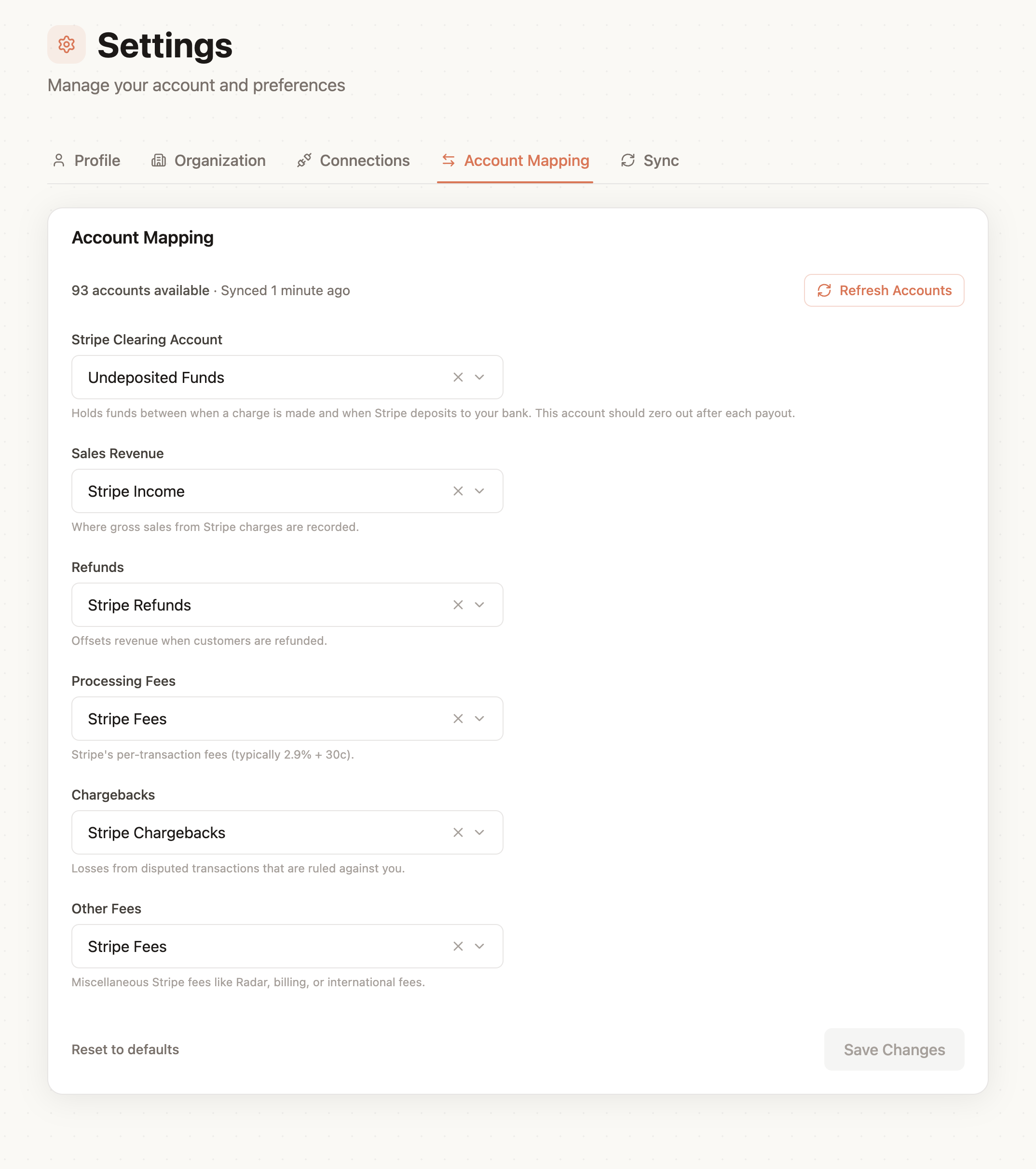
If your organization connects more than one Stripe account, configure each one separately using the account tabs at the top of the page. All Stripe accounts use the same connected QuickBooks chart, but their mappings can differ.
Mapping Categories
Stripe Clearing
The balance-sheet account that balances sales, fees, refunds, chargebacks, and other Stripe activity. Its balance represents funds held by Stripe before payout settlement.
Use a Bank or Other Current Asset account such as "Stripe Clearing" or "Stripe Balance."
Payout Deposit Account
The QuickBooks bank account where Stripe deposits payout funds, such as "Business Checking."
This mapping is stored separately for future payout-settlement accounting. It does not affect current payout booking or the journal entries SyncFast creates today.
Sales Revenue
The income account where gross Stripe sales are recorded, such as "Sales Income" or "Service Revenue."
Refunds
The revenue or contra-revenue account used to offset sales when customers are refunded.
Processing Fees
The expense account used for Stripe transaction fees, such as "Payment Processing Fees."
Chargebacks
The expense account used for disputed transactions ruled against your business.
Other Fees
The expense account used for other Stripe costs such as Radar, billing, or international fees.
Configuring Mappings
- Go to Settings > Account Mapping.
- If you have multiple Stripe accounts, select the account you want to configure.
- Choose the appropriate QuickBooks account for each category.
- Click Save Changes.
You can save a partial configuration and return later. Existing payout booking requires Stripe Clearing, Sales Revenue, Processing Fees, Refunds, Chargebacks, and Other Fees. Payout Deposit is not currently required.
Refreshing the QuickBooks Chart
The dropdowns use the organization's cached QuickBooks chart of accounts. Click Refresh Accounts after creating, renaming, or activating accounts in QuickBooks. Refreshing updates the shared chart for every Stripe-account mapping tab.
Mapping changes apply to future booking decisions. Previously booked payouts and their QuickBooks journal entries are not changed automatically.